
EN
TR
Store, share and collaborate on content.
Your @tav.engineering Google account and multi-factor authentication (MFA) must be set up before you can access this service. See the Passwords & Accounts guide.
Sign in to Egnyte at tavcloud.egnyte.com with your Google Workspace account.
Step-by-step sign-in and MFA (Google Authenticator) setup: Passwords & Accounts guide →
The shared-area folder tree is below. Click a name to expand/collapse. Folder owners are noted next to each section (details will be maintained by IT).
The Egnyte web interface has three main areas: the main menu on the left, the folder tree beside it, and the file/folder list in the middle — similar to Windows Explorer. Panels can be collapsed and expanded.
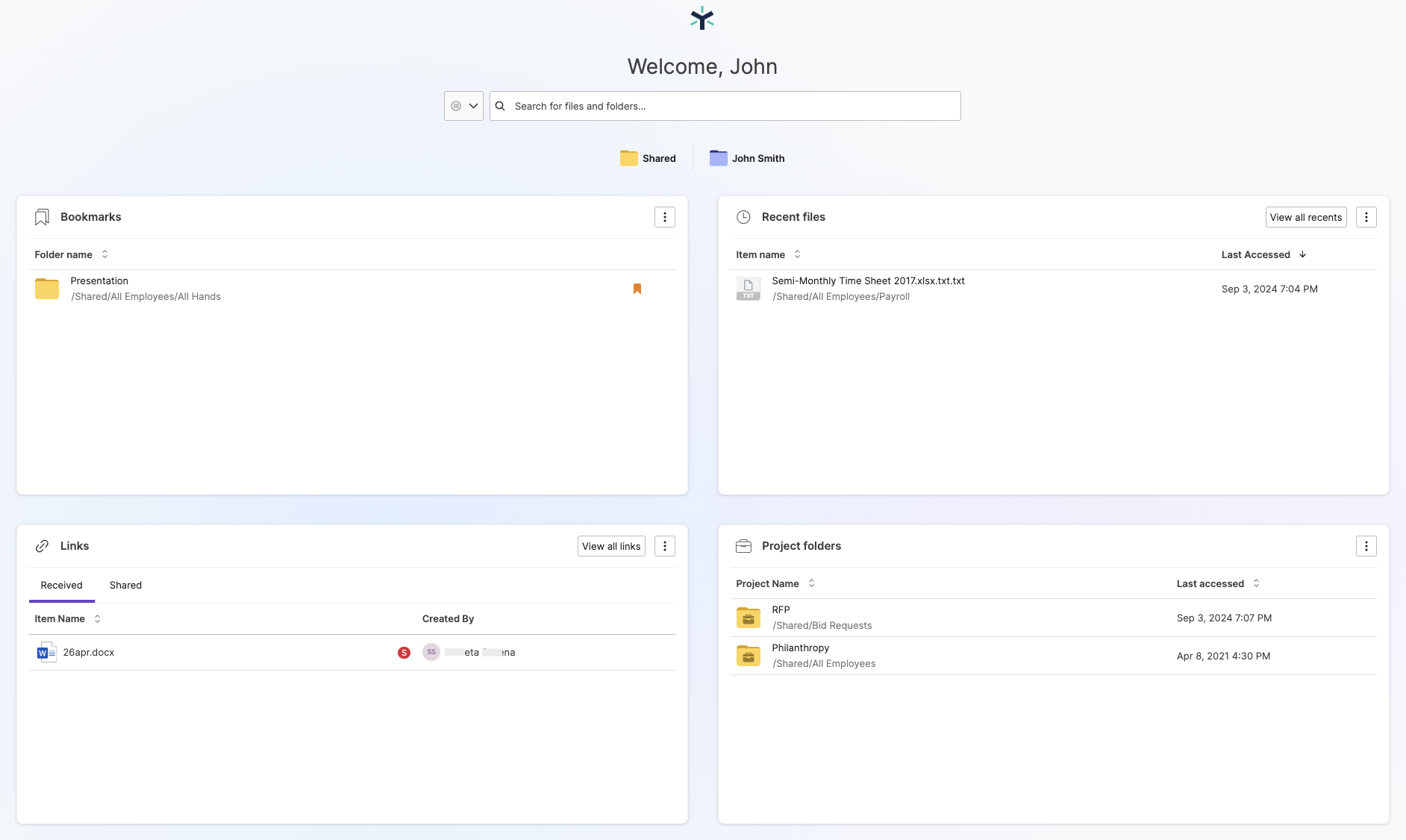
On login you land on a dashboard with four widgets: Bookmarks, Recent Files, Links and Project Folders.
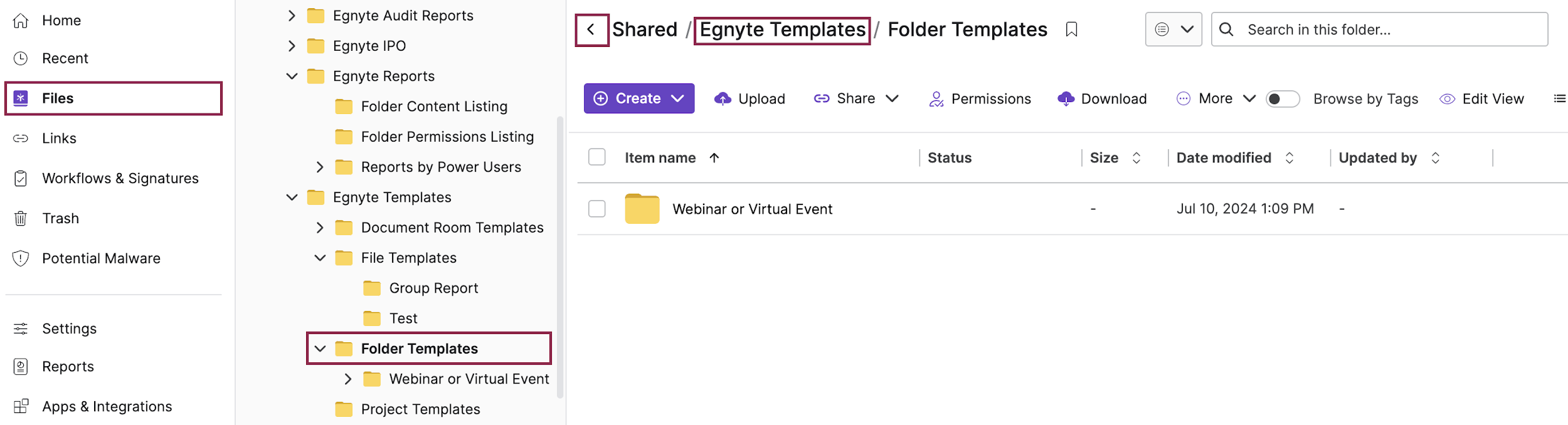
Select Files from the main menu and click through the folder tree. Navigate back via the folder path, or make a frequently used folder your home screen (More → Set as default view).
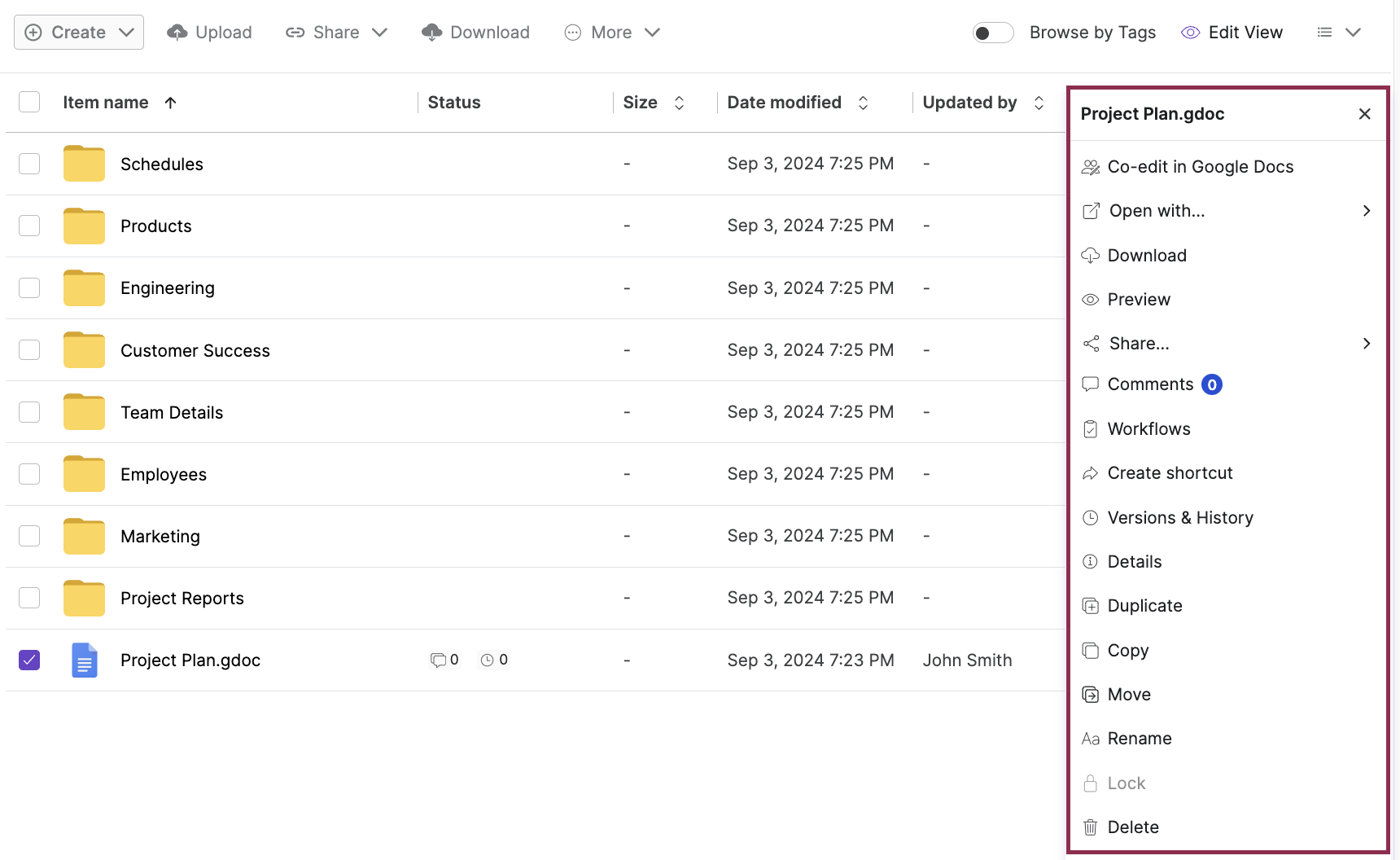
Select an item and right-click, or use the toolbar: Create, Upload, Share, Download and More (Preview, Versions, Details, Lock, Rename, Move, Delete…).
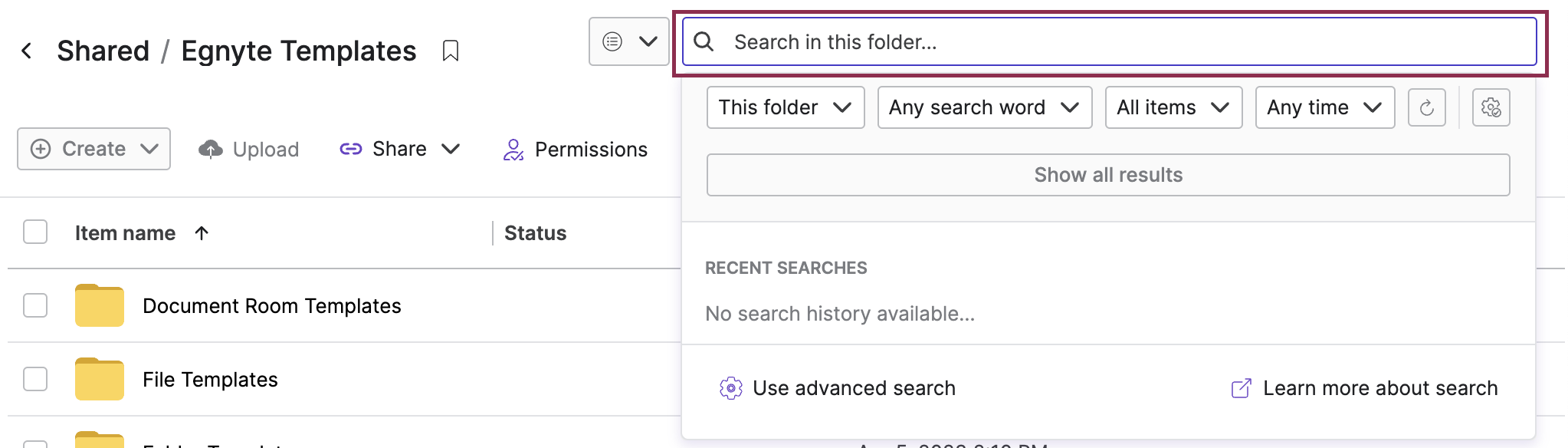
Use the search box top-right with filters such as folder scope, word matching, item type and time frame.
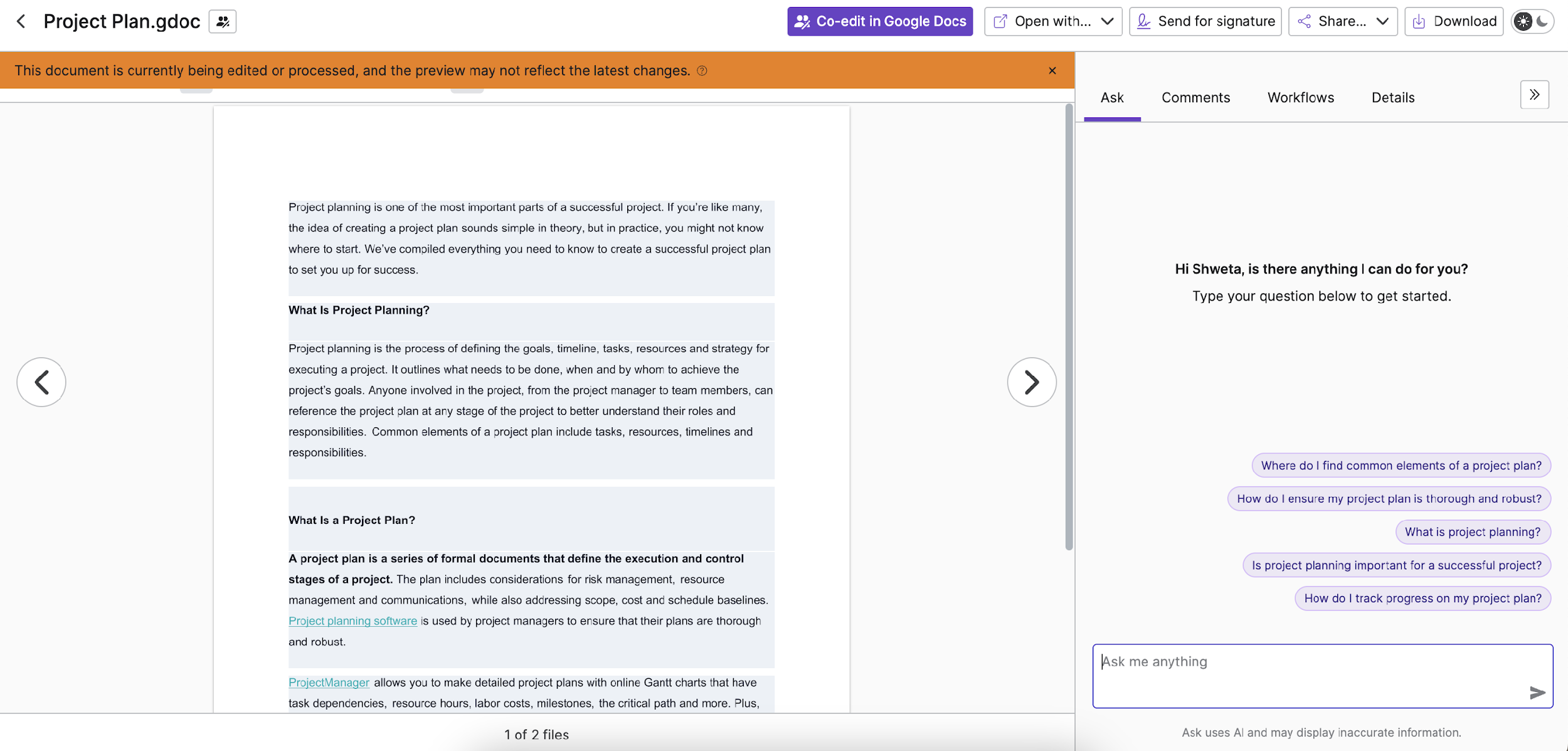
Click a file name to preview it in the browser; use the arrows to move between files in the same folder.
The desktop app lets you access all cloud files like a network drive on your computer, without using local space. You can also sync selected folders for offline access.
Detailed tours of Egnyte features. Click a card.
Sync files across devices with offline access and automatic synchronization.
Learn more ↗ 🏗️Project collaboration and document management for AEC.
Learn more ↗ 🔐Advanced sharing controls, expiration dates and permission management.
Learn more ↗ 🏷️AI-generated tags automatically classify content and improve discoverability.
Learn more ↗ 📄Analyze contracts with secure content management and automated insights.
Learn more ↗ 📐Real-time BIM file collaboration with secure coordination.
Learn more ↗ ✍️Sign and manage PDF documents electronically.
Learn more ↗